In the world of networks, efficiency is key. For those who work with MikroTik devices, management can seem complex at first glance. This is where Mikrotik Winbox comes in, a powerful and intuitive tool that transforms the way you interact with your RouterOS. Forget intimidating command lines; with Winbox, control of your network is literally at
your fingertips.
What is Winbox and Why is it Essential?
Winbox is a lightweight graphical utility, developed by MikroTik, that allows you to administer your routers and devices with RouterOS simply and visually. Think of it as the bridge between you and the complex configurations of your equipment. It mirrors the functions of the command line (CLI) in a friendly interface, making configuration and monitoring accessible to everyone, from enthusiasts to experienced network administrators.
In addition to its ease of use, Winbox is built with security in mind. The latest versions incorporate advanced encryption and authentication features, ensuring that your management sessions are protected against unauthorized access. This means you can manage your network with peace of mind, knowing that your configurations are secure.
Key Features of Mikrotik Winbox That Will Transform Your Daily Life
Winbox is not just a pretty interface; it’s packed with features that optimize your work:
1. Intuitive Graphical Interface
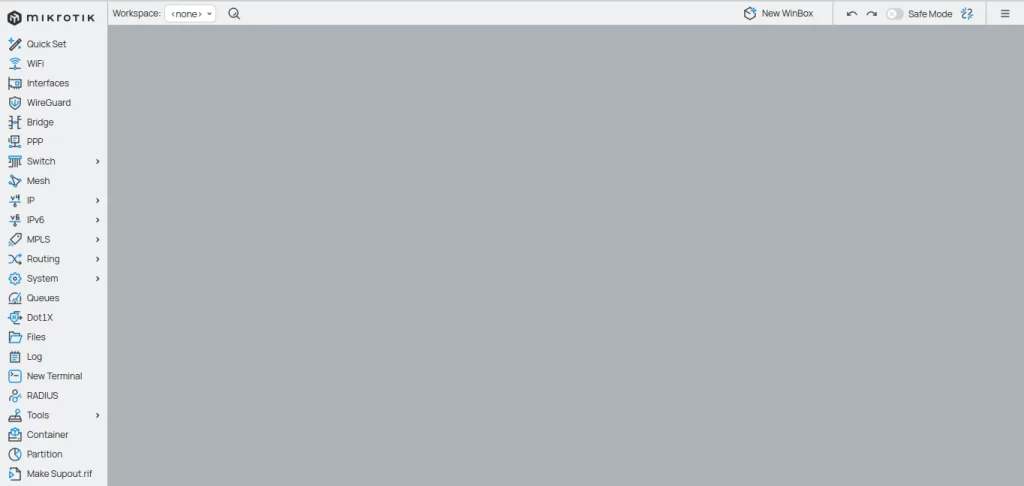
Navigate through logical menus and submenus that organize all RouterOS settings. If you’ve ever felt intimidated by the complexity of a router, Winbox is the solution. It simplifies the configuration of interfaces, firewall rules, routing, and much more, all with clicks and checkboxes.
2. Flexible Connectivity: IP and MAC
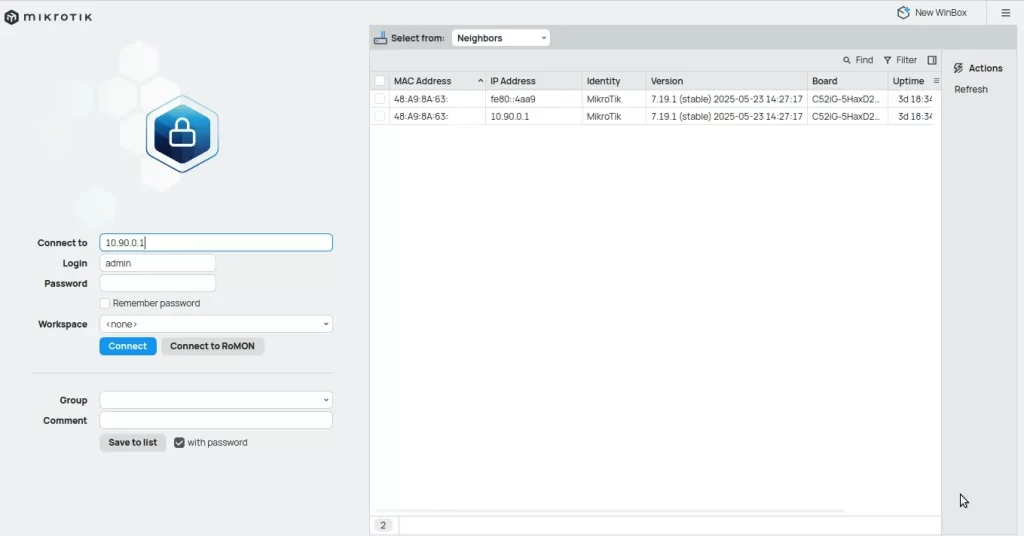
Connect to your MikroTik devices via IP address for stable remote management. But what if the device doesn’t have an IP yet? Winbox shines with its ability to connect via MAC address, ideal for initial setup or when you are on the same local network. The neighbor discovery function makes it even easier to find and connect to your equipment.
3. Complete Configuration Management with Mikrotik Winbox
From configuring Wi-Fi networks and VLANs to creating complex firewall rules and managing services like DHCP and VPN, Winbox puts all RouterOS configuration tools at
your fingertips. You can manage users, groups, and even install or remove packages to customize your router’s functionalities.
4. Real-Time Traffic Monitoring
Want to know what’s happening on your network? Winbox offers detailed graphs of CPU, memory, disk usage, and traffic throughput. Identify bottlenecks, monitor performance, and ensure your network is always operating at its maximum capacity.
5. Integrated Diagnostic Tools
With tools like Ping, Traceroute, Torch (for detailed traffic monitoring), and a log viewer, Winbox is your Swiss Army knife for quickly diagnosing and resolving network problems. Don’t waste time looking for external tools; everything you need is right there.
Essential Tips for Safe and Efficient
Use To get the most out of Winbox and keep your network secure, follow these tips:
• Strong Passwords: Always use complex passwords for your RouterOS user accounts. • Restrict Access: Configure firewall rules to allow Winbox connections only from trusted IPs. • Keep Updated: Ensure your RouterOS and Winbox are always on the latest versions to benefit from the latest security fixes and features. • Secure Mode: Enable “Secure mode” in Winbox for robust encryption of your session. • Backups: Perform regular backups of your device configurations. Winbox facilitates transfer and restoration.
Conclusion: Mikrotik Winbox is Your Ally in Network Management
Mikrotik Winbox is more than a tool; it is an indispensable ally for anyone managing MikroTik-based networks. Its combination of intuitive interface, comprehensive features, and focus on security makes it the ideal choice for simplifying complex tasks and ensuring the stability and performance of your network infrastructure. If you are not yet using it, you are missing out on one of the best ways to manage your MikroTik devices efficiently and confidently.
Check out the EMNews blog and stay up to date with the latest news, analyses, and trends in the world of technology and telecommunications!
Simplify your network management right now — click here to download the new version of Mikrotik Winbox (v4 or v3) directly from MikroTik’s official website.